Page Body Context Menu
Monday, February 20, 2023
7:02 AM
Right-click on text within a page to display its context menu. By default, OneNote populates this context menu with generally useful items.
OneNote goes beyond that by allowing you to chose OneMore commands to appear at the top of this menu, for example
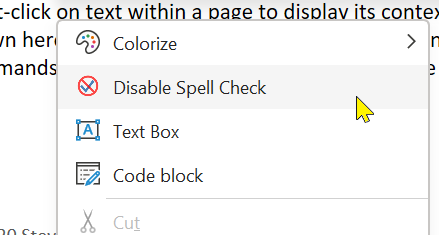
To customize this list of items, use the Context Menu sheet in the OneMore Settings dialog. Select the items you want to appear for quick and easy access.
Search Engines
In addition to the individual commands that you choose to appear in this menu, if you define search engines in the Settings dialog, they will also appear in this menu automatically.
Styles Menu
The Context Menu sheet in Settings has a special entry, Styles. Enable this to add a Styles sub-menu to the context menu. This displays your custom My Styles.
Container Outline Context Menu
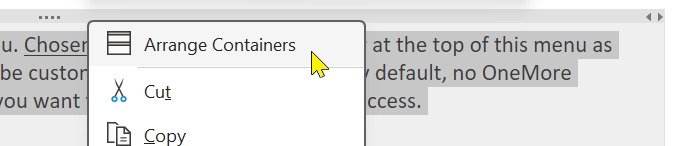
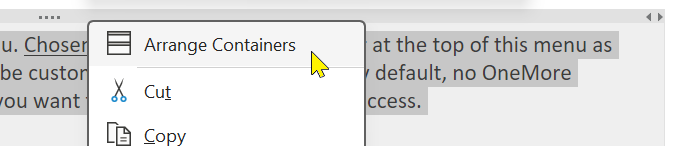
The Page command Arrange Containers is available in the context menu that appears when right-clicking the container outline.
#omwiki #ommenus
© 2020 Steven M Cohn. All rights reserved.
Please consider a sponsorship or one-time donation to support ongoing development
Created with OneNote.